Multiple bank accounts
Adding extra bank accounts to your organisation and routing different raffles to different ones.
Most organisations run RaffleLink with a single bank account — proceeds come in, they land in the same place every time. But if your organisation has multiple programs or chapters that need to keep their money separate, you can add more than one bank account and nominate which raffle pays into which.
Add another account
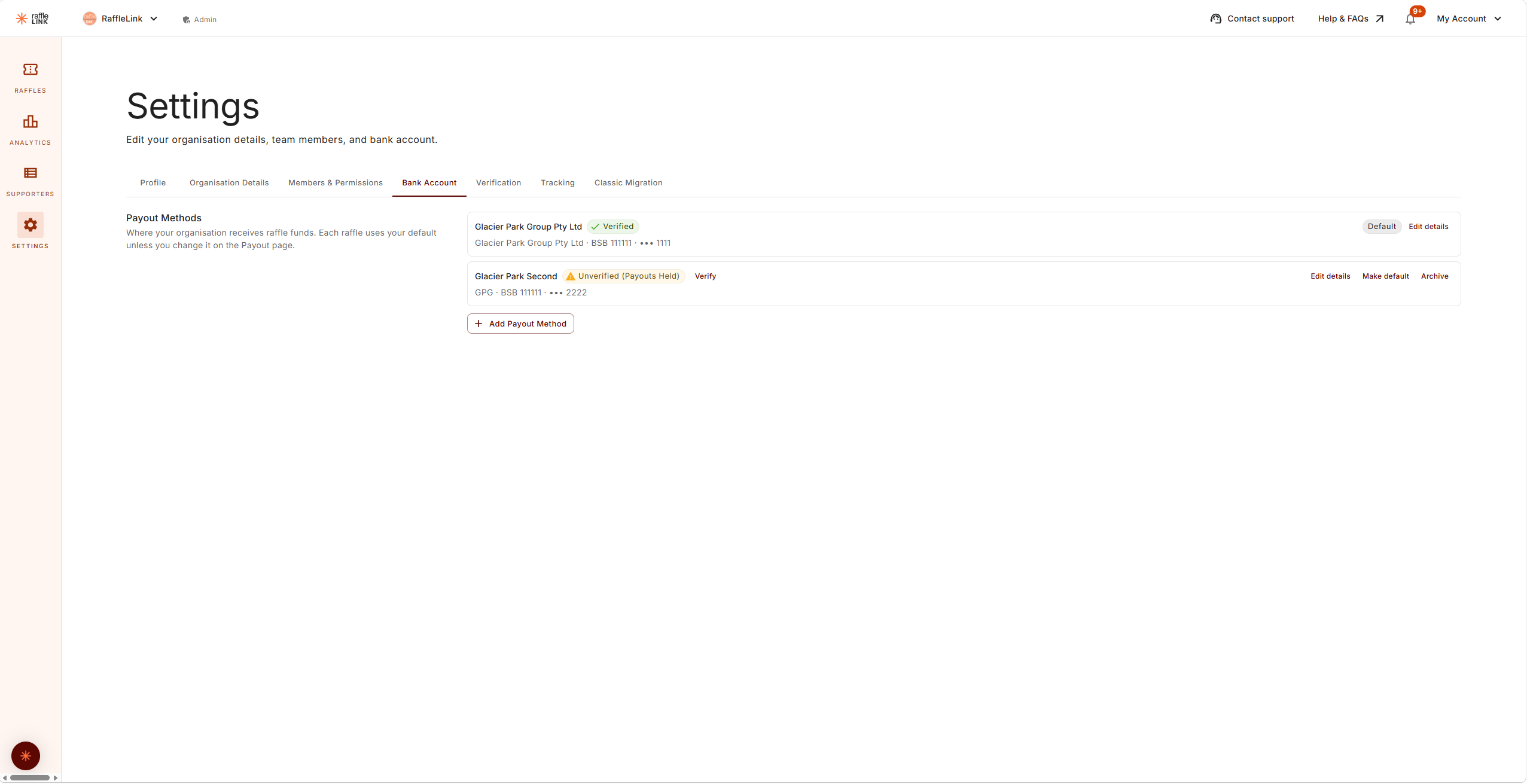
From your organisation's Settings → Bank Account, you can:
- Add a new bank account (account name, BSB, account number, plus a label so you can tell them apart later).
- Make one the default — that's where any raffle goes unless you say otherwise.
- Edit a detail you mistyped (see the note below).
- Archive an account you no longer need.
Nominate a different account for a specific raffle
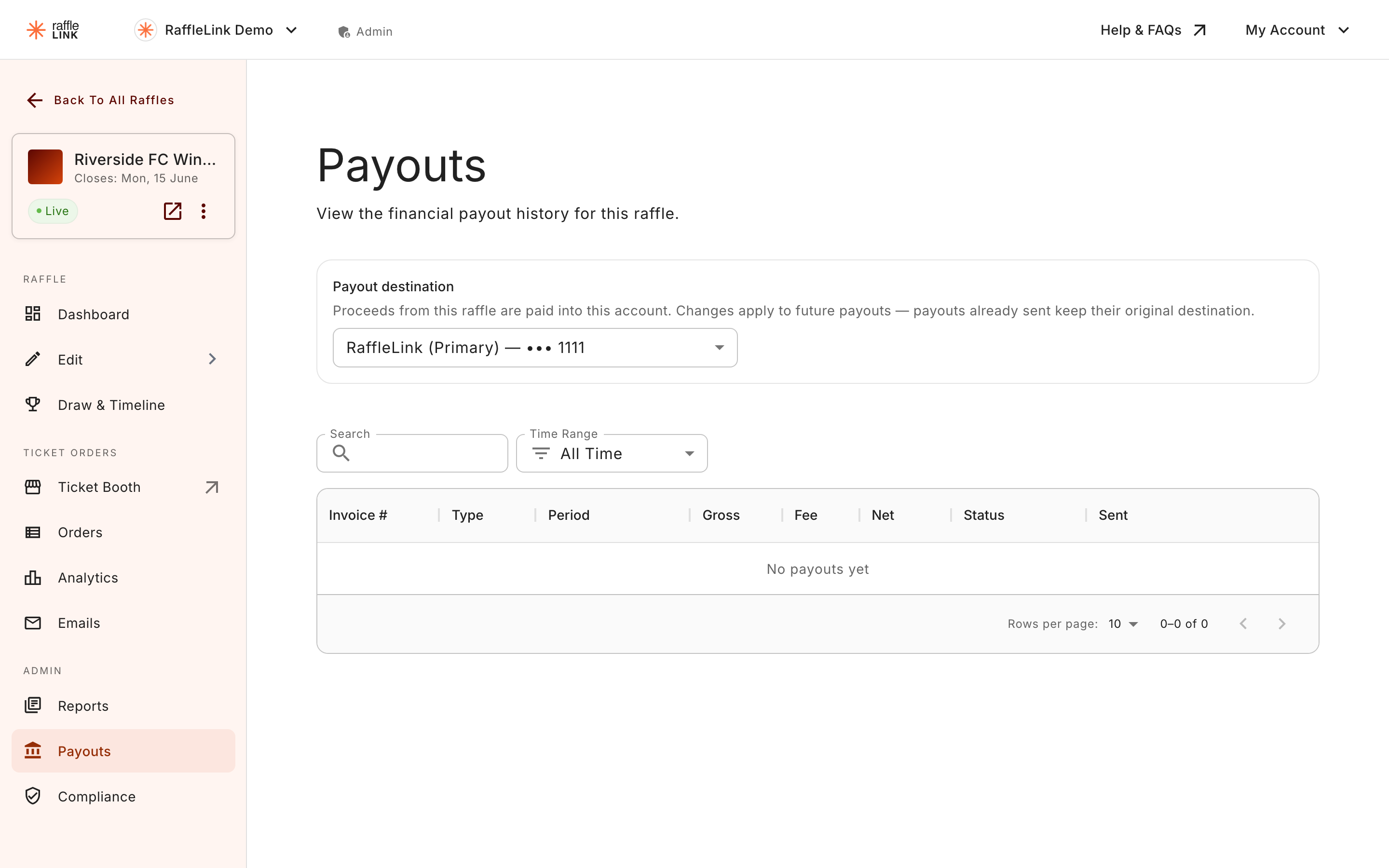
If you've got more than one account on file, each raffle gains a Payout destination option. From the raffle's Payouts page, pick which account this raffle should pay into. Each option shows how that account is paid — its last few digits for a bank transfer, or Invoice us / International for a manual one — so you can tell them apart at a glance, and a note appears if you pick a manual or personal account.
If you only have one account, this option doesn't appear — there's nothing to choose between.
You can also set a Payment reference for this raffle here — the text that shows on the bank statement line for its payouts (up to 18 characters, handy for attributing proceeds to a specific event). Leave it blank to use the account's default.
When this is worth doing
- Different programs. A junior club and a senior club inside the same organisation, with separate bookkeeping.
- Different chapters. A national org with regional chapters that each want their own fundraising money in their own account.
- A capital fundraiser vs. operating. A specific large raffle whose proceeds you want kept apart from the year's ongoing operating raffles.
Heads up
- Most accounts belong to your organisation — and that's the expectation. RaffleLink does also support paying into a personal account when an individual is fundraising on the org's behalf, but that's a deliberate choice with its own acknowledgement and disclosure. See Special payout situations.
- Changing the destination on a live raffle takes effect from the next payout — money already sent stays where it landed.
- Fixing a typo. Each account has an Edit details option for correcting a mistyped name, BSB, or number. On an organisation-owned account, changing any of those puts that account's payouts on hold until a bank statement confirms the new details, so only edit what actually changed. On a personal or manual-lane account there's no statement check, and the helper text is a plain warning instead: "Double-check the BSB and account number: nothing else verifies them before the payout is sent."
- Archiving, not deleting. To retire an account you use Archive — the record is kept (past payouts and any verification stay intact), it just stops showing in settings and can't be picked for a raffle. You can't archive your default account or your last account, and if any raffle still pays into it, you'll be asked to reassign each one first.