Accepting an invitation
Joining an organisation you've been invited to.
When someone invites you to their organisation, you'll get an email with an invitation link. Opening it brings you into their workspace with the role they've chosen for you.
How you'll see the invitation
- By email — an invitation link lands in your inbox.
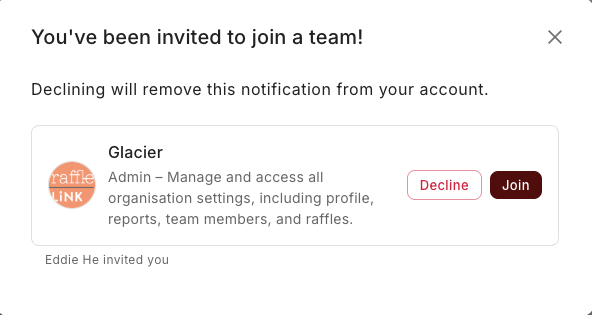
- As a prompt when you sign in — if you already have a RaffleLink account, you'll also see a pop-up the next time you sign in, prompting you to join the organisation. You don't have to dig through your email; just accept it there.
Given a code instead of an invite?
Some organisations share an access code for affiliates or ticket sellers rather than emailing an invitation. If you've been given one, you don't need an invitation email at all — open the organisation switcher, choose Join an organisation, and enter the code. See Invite teammates.
What the invitation page shows
The link opens a single card: "Welcome to RaffleLink! You're just a step away from joining your team." It tells you exactly who invited you ("[Name] invited you to join their team [Org] as a [Role]"), shows the organisation's card, and has one primary button: Confirm & Join.
- New to RaffleLink? You'll fill in a short signup form. The email field is pre-filled with the invited address and locked, which is what guarantees you join under the right email (it's also why there's no Google sign-in option on this form).
- Already have an account? The page defaults to signing in instead.
- Signed in under a different email? The page tells you so and offers Log out, so you can come back in under the invited address.
- Not actually part of this team? A "Not your team?" line offers Sign up on my own instead.
Choose Confirm & Join and you're in. Ticket Sellers are taken straight to the Ticket Booth; everyone else lands on the organisation's dashboard.
No email verification needed to join
You no longer need to verify your email address to accept an invitation. You can join your team straight away; verification is checked later, when a raffle goes live.
Invitations expire
Invitation links don't last forever. If yours has expired, it's no problem — just ask the person who invited you to send a fresh one. And if the invitation was sent to the wrong address, ask whoever invited you to resend it to the right one.
Not expecting an invite?
If an invitation turns up out of the blue and you weren't expecting it, you can safely ignore the email. Nothing happens unless you accept.