Add prizes
Set out what people can win — and watch for permit thresholds.
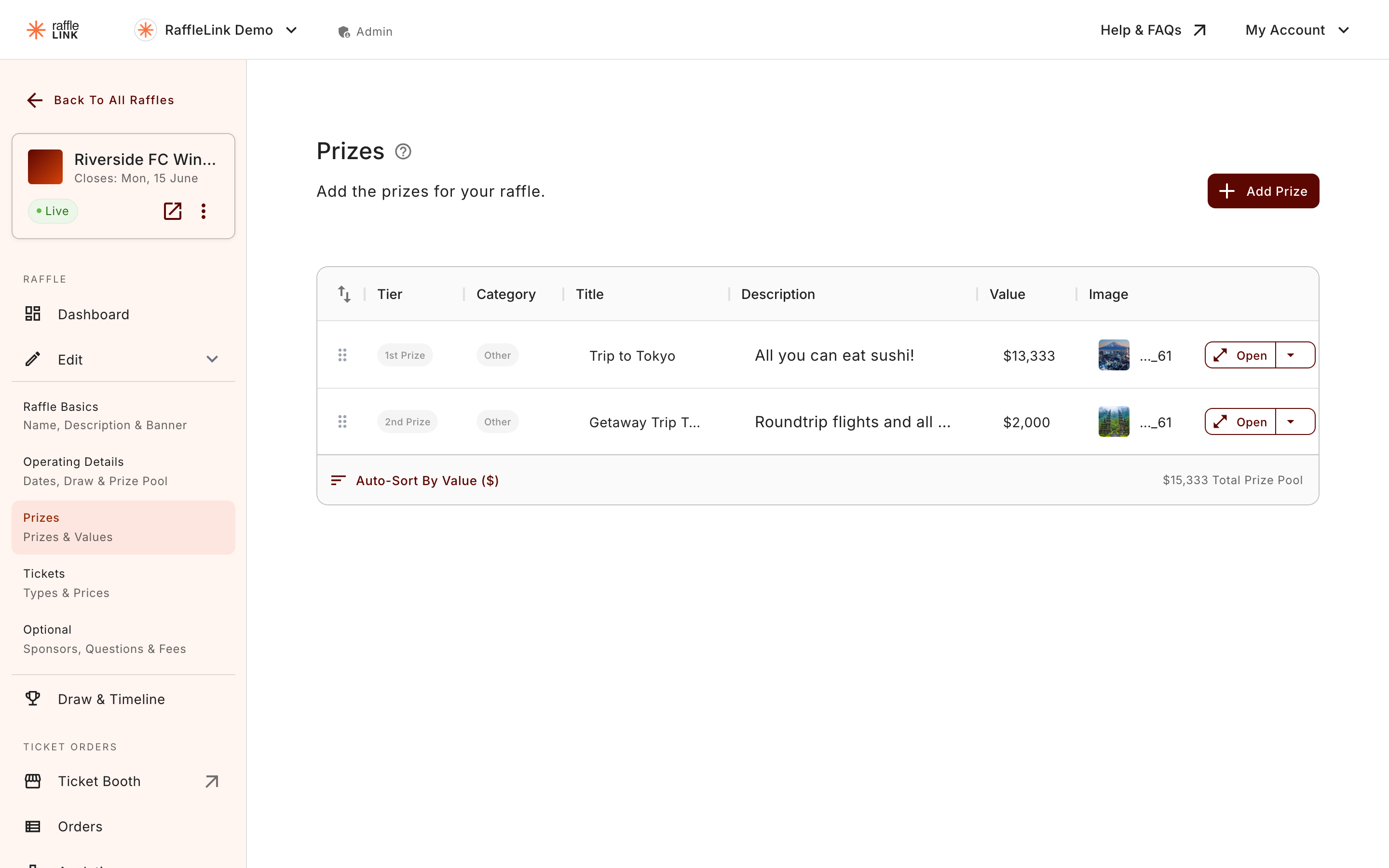
Add the prizes people are playing for. For each one you'll set:
- Tier — where the prize sits (for example, a major prize vs minor prizes).
- Category — what kind of prize it is.
- Value — what it's worth. This matters for more than bragging rights (see below).
- Image — a photo of the prize, which makes a real difference to ticket sales.
Got a long list of prizes? You can import them all at once from a spreadsheet instead of adding them one by one.
Want to reward people who buy in early? You can set some prizes aside as early bird prizes, drawn partway through your raffle — without taking those tickets out of the final draw.
50/50 raffles have no prize list
On a 50/50 raffle there's nothing to add here: the prizes are worked out automatically from the cash-pot splits.
Stuck on what to offer?
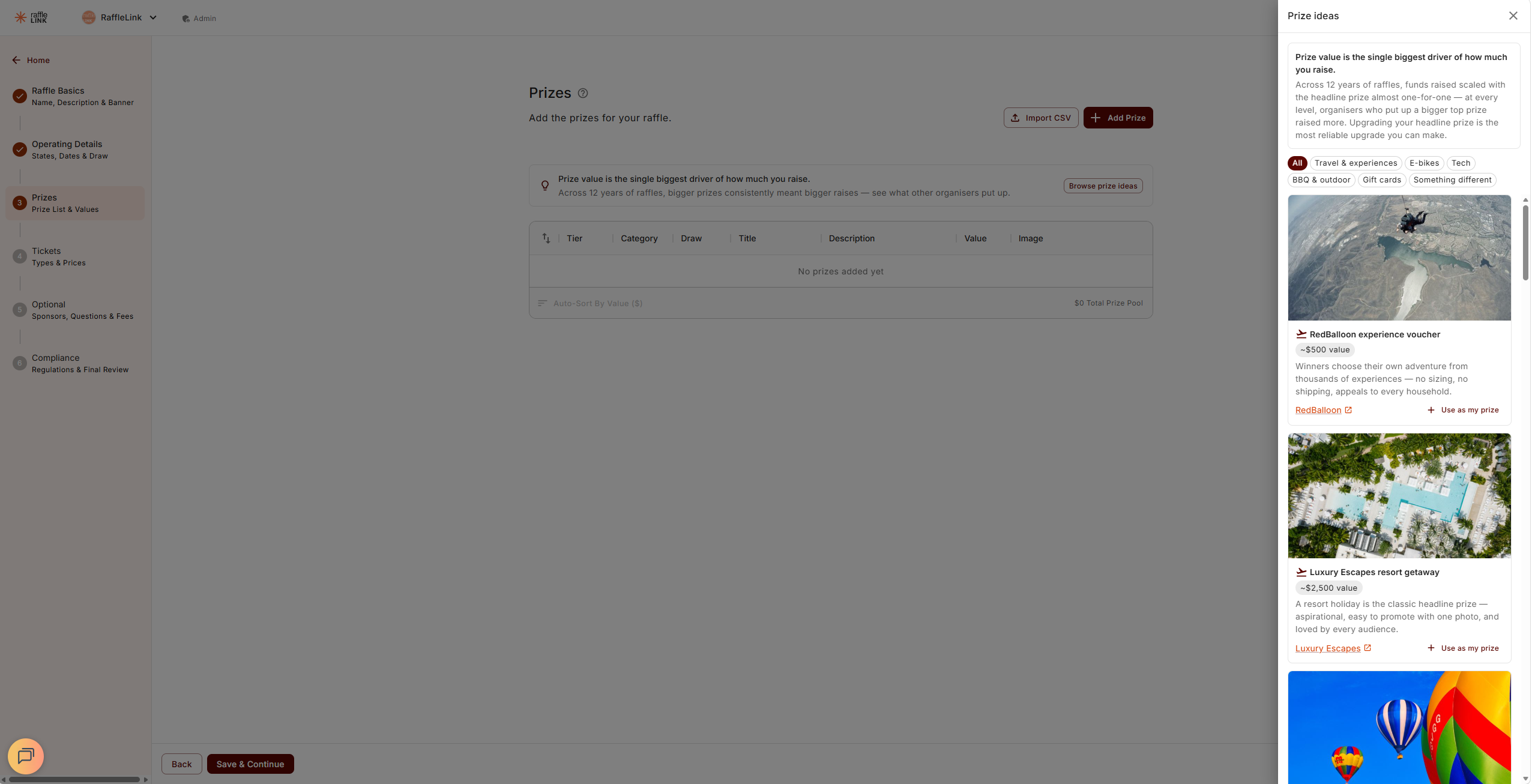
Not sure what prize will pull people in? On the Prizes step you'll see a prompt — "Need inspiration? Browse prize ideas" — before you've added anything. Choose Browse prize ideas and a Prize ideas drawer opens: a gallery of proven prizes — travel and experiences, e-bikes, tech, BBQ and outdoor gear, gift cards, and a few left-field ones — each with a rough value and a note on why it works. Filter by category to narrow things down.
Found one you like? Use as my prize drops it straight into your prize list with the name and value filled in — review the details, tweak anything, and save as normal. Nothing is added until you save, so you can browse freely. Each idea also links out to a retailer so you can see the real product and price; RaffleLink doesn't sell or source the prize for you — the gallery is there to spark ideas and show what other organisers have put up.
Why it's worth aiming high
Prize value is the single biggest driver of how much a raffle raises. Across twelve years of raffles, a bigger headline prize almost always meant a bigger raise — so a stronger top prize is usually the most reliable way to lift your result.
Need a hand with the title? ✨
Once you've written a prize description (about a sentence is enough), tap Suggest title from description under the title field — RaffleLink will draft a short, punchy title from what you've written. Useful when you've described the prize in detail and want a snappier label without the brain-tax.
If you already have a title written, you'll be asked to confirm before it's replaced.
Your prizes are staged until you save
Adding, editing or importing a prize builds up a list on the step — nothing reaches RaffleLink until you save. The toasts say so plainly: "Prize added to the list. Press "Save & Continue" at the bottom to keep it." It's the same for a CSV import ("Added 12 prizes to the list…") and for prizes pulled in from ideas.
If you close the tab or reload before saving, your work isn't gone. Come back to the Prizes step and you'll find a banner: "We found 3 unsaved prizes from a previous session. Restore them, then press "Save & Continue" at the bottom to keep them." Choose Restore prizes to bring them back into the list, then save — or Discard if you'd rather start over. Restoring alone doesn't save them; the Save & Continue at the bottom still has the final word.
Prize order in QLD, VIC and WA
In some states the regulator strongly recommends drawing prizes highest value first. If your raffle sells into QLD, VIC or WA, the Prizes step shows an information note saying so, with a Sort by value button that reorders the whole list for you in one tap.
It's guidance, not a gate: it never blocks saving or activation, and it doesn't count against your compliance status. You can also just draw them in that order on the day and leave the list alone. (If you've switched on Winners choose their prize, the note steps aside entirely — the order is display-only at that point.)
Prize value and permits
Your total prize pool can affect whether your raffle needs a permit. As you add prizes, RaffleLink checks the total against the rules for the states you're operating in and flags it if a permit is likely required — so you're not caught out later.
If a permit is flagged
A permit flag isn't a dead end — it's a heads-up. You'll find the details and next steps in When you need a permit, including how soft limits (liftable with a permit) differ from hard limits (which always apply).
Next: Tickets and pricing.