Operating details
When your raffle runs, when the draw happens, and where it's available.
This step sets your raffle's timeline and where it can be sold.
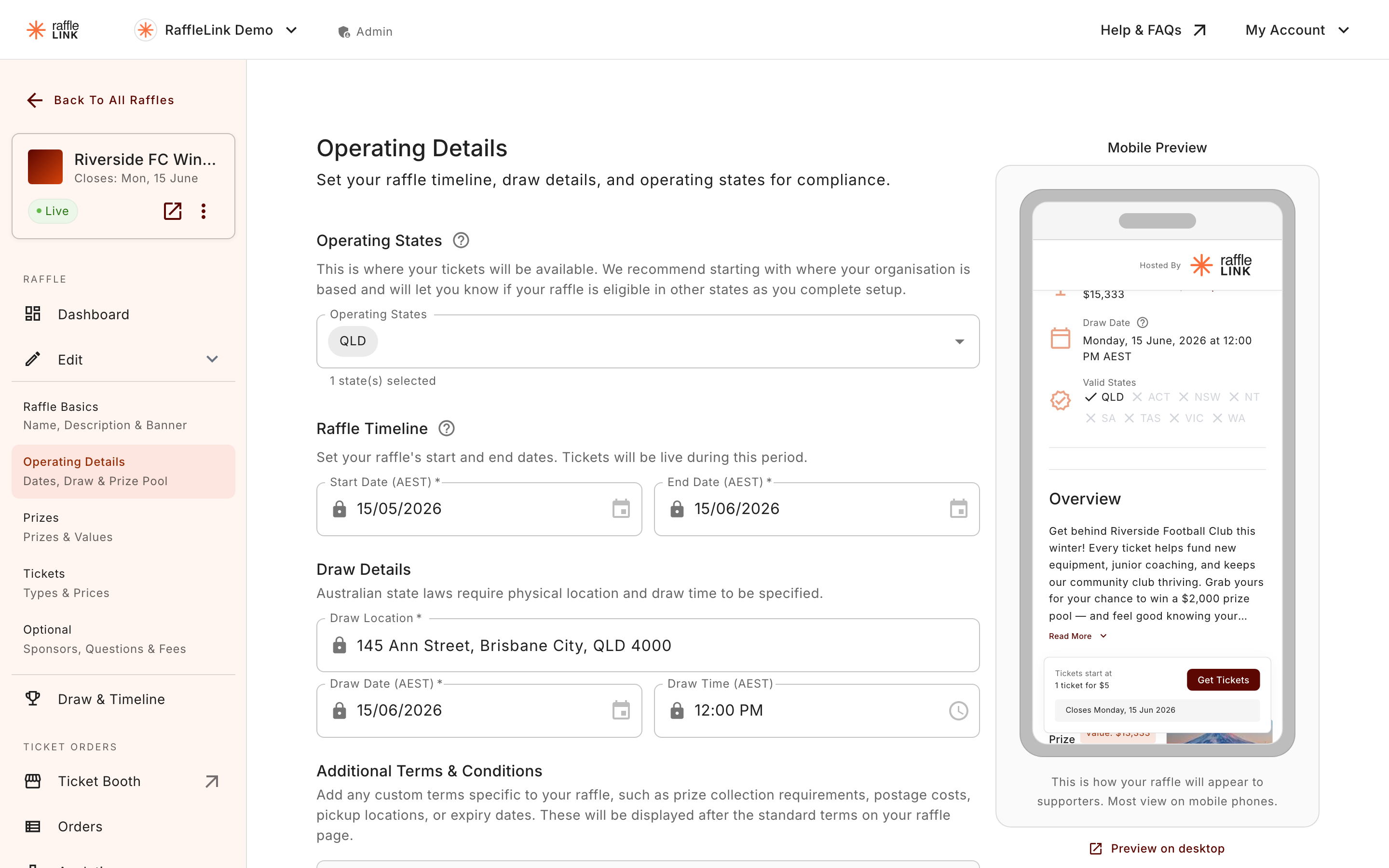
- Start date — when the raffle goes live and tickets become available.
- End date — when ticket sales close.
- Draw date and time — when you'll draw the winner.
- Draw location — where the draw takes place.
- Operating states — the states your raffle is available in. This ties into compliance — see Choosing the states. Some states show a warning banner right under this field when there's something to sort out first (the Northern Territory and Victoria both do).
- Enable Early Bird Draw — switch on an extra draw partway through the raffle, and set its Early Bird Draw Date. See Early bird prizes.
The draw time is a guide, not a deadline
The draw time is mainly an approximation for your ticket buyers, so they know roughly when to expect the winner to be announced. By default you run the draw yourself when you're ready, so there's no pressure to be at your computer on the dot. (If you'd rather it ran on time without you, you can switch on an automatic draw.)
Times are in your organisation's time zone
Your raffle's start, end, and draw times are set and advertised in your organisation's time zone, which you choose in Settings → Organisation Details. Buyers elsewhere see your official time alongside a conversion to their own local time. See Your organisation's time zone.
Add your own terms & conditions
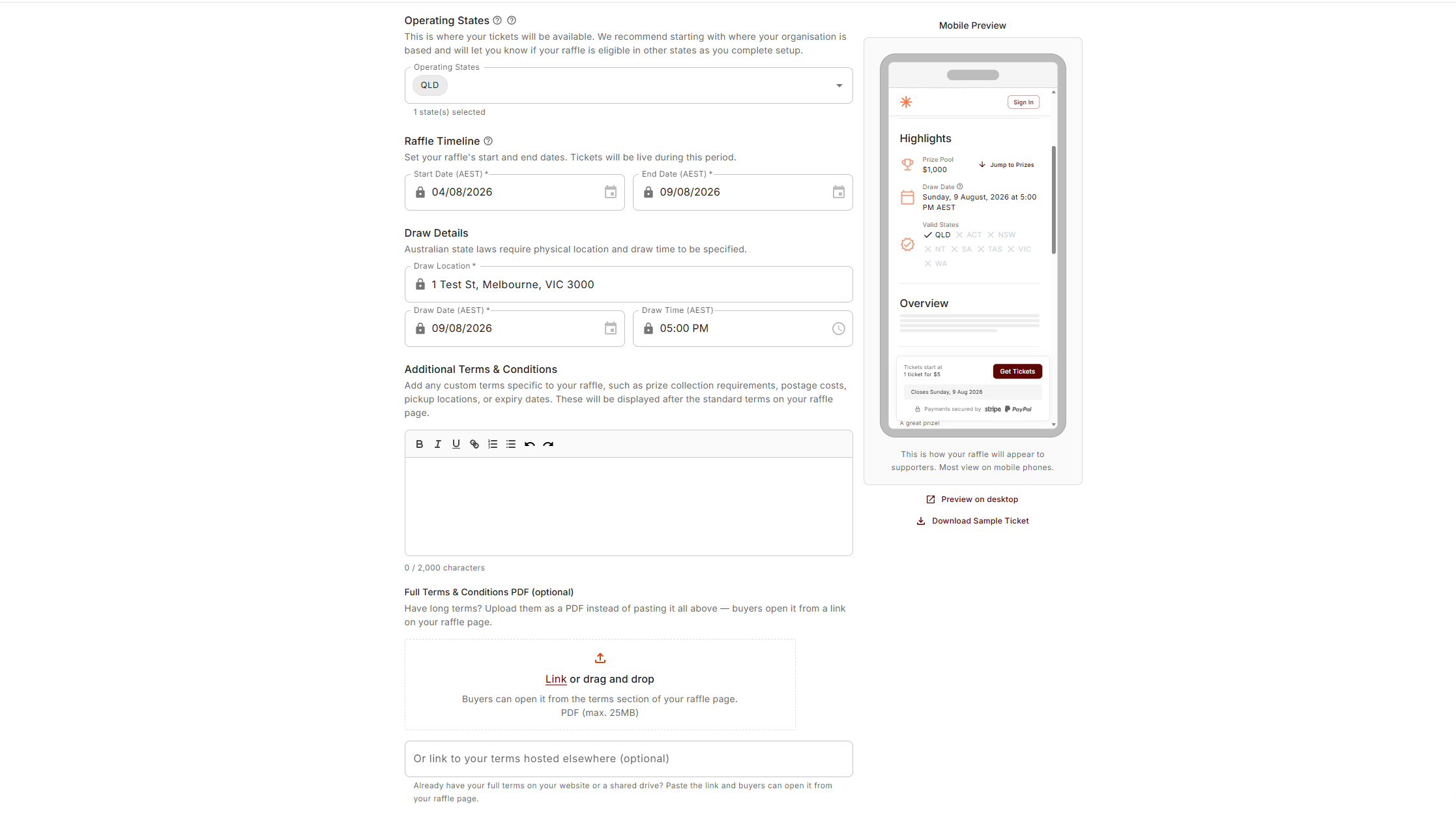
RaffleLink shows the standard raffle terms on every public page. At the bottom of this step there's a single question, Do You Have Additional Terms & Conditions?, where you can add your own — prize-collection requirements, postage costs, pickup locations, expiry dates, and the like. They appear after the standard terms on your raffle page.
The select has four options; pick the one that matches how you have your terms:
- No – I don't have Additional Terms & Conditions
- Yes – I'll include them as a web link — paste the address into the Additional T&C URL field. Good when your terms already live on your website or a shared drive.
- Yes – I'll upload them as a PDF — for longer terms. Buyers open the PDF from a link on your raffle page.
- Yes – I'll copy them as text — a rich-text box for short, raffle-specific terms, shown inline on your page.
Only the input for the option you've chosen is shown, and only that one is saved, so you can't publish typed terms, a PDF, and a web link at the same time. If you switch between options while deciding, your drafts stay in the form, but when you save, only the selected option is kept.
On your public page, typed terms appear inline after the standard terms, while a PDF or web link appears as a View full terms & conditions link. To take your terms down later, switch the answer back to No – I don't have Additional Terms & Conditions and save.
A PDF saves as soon as you upload it
Unlike the other options, an uploaded PDF is attached to your raffle the moment the upload finishes. If you upload one and later change your answer, the page will warn you: "A PDF is still attached to this raffle and will show on your raffle page. Remove it below if you no longer want it there." Remove the PDF there if you no longer want it on your page.
Next: Add prizes.