Affiliate raffle review
Requiring admin approval before an affiliate's raffle goes live.
When affiliates or independent organisers fundraise on your behalf, you may want a quick check before their raffle goes public under your organisation's name. Affiliate raffle review is the setting that makes that happen.
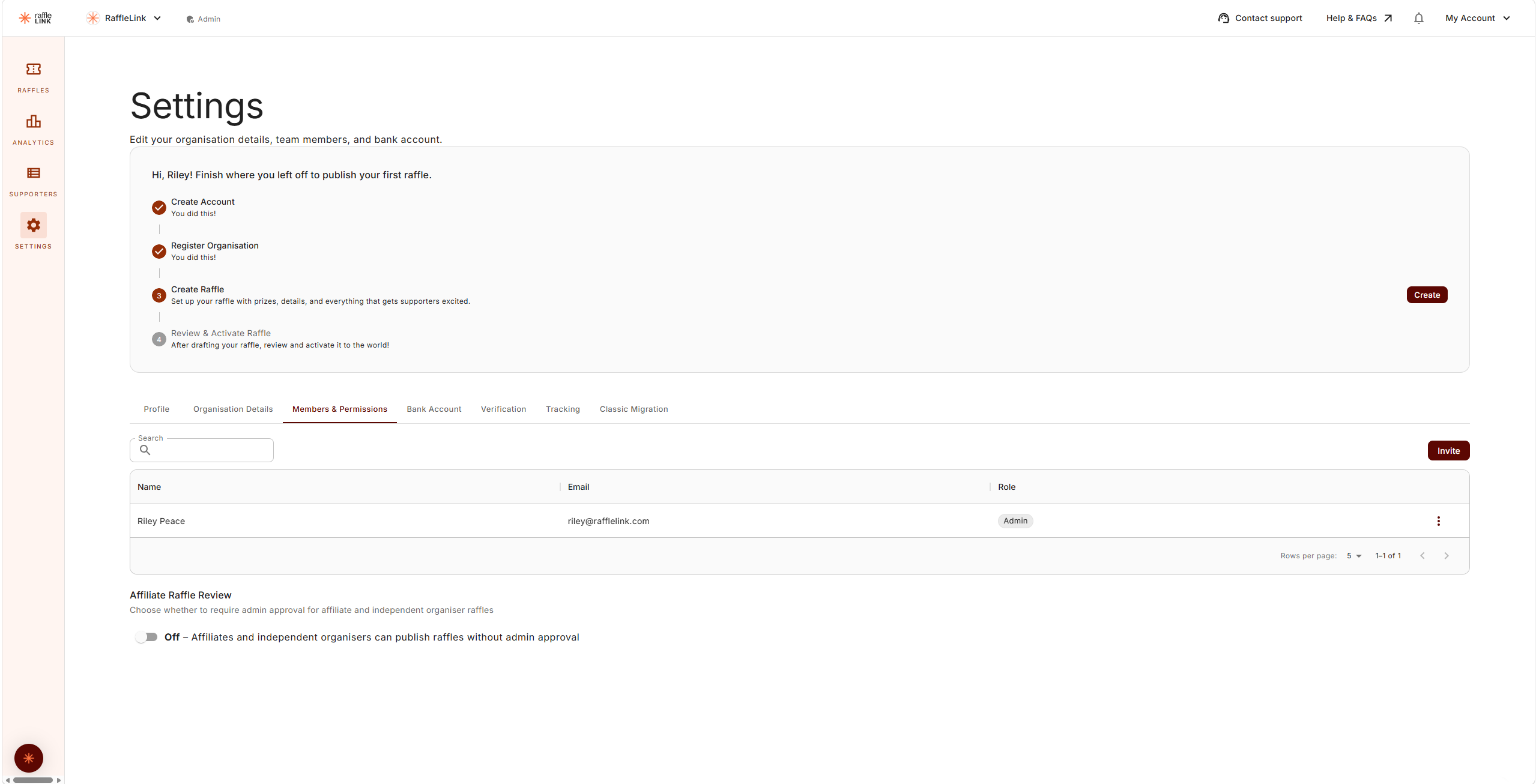
New organisations start with this off
Review is off by default for organisations created from now on — affiliates and independent organisers publish their raffles directly. If your organisation was set up earlier, it keeps whatever setting it already had, so nothing changed for you. Turn it on any time if you'd rather approve first.
What it does
With affiliate review on, an affiliate or independent organiser can't publish their raffle directly. Instead they submit it for review (the button reads Submit Proposal), and an admin at your organisation either approves it or requests changes. Once approved, the raffle becomes active.
With it off, they publish their raffles themselves — the button reads Publish Raffle — with no approval step.
Turn it on or off
The setting lives in your organisation's Settings → Team Members. Toggle affiliate raffle review on if you'd like the approval step, off if you trust affiliates and independent organisers to publish directly.
The review flow (admin side)
When an affiliate submits a raffle:
- You're notified there's a raffle to review.
- You open it and check it over — prizes, dates, compliance, the public-facing copy.
- You approve it (it becomes active) or request changes with feedback.
- If you requested changes, the affiliate adjusts and resubmits, and you review again.
A reminder if it sits
If a submitted raffle waits more than a few days, RaffleLink emails your organisation's admins a reminder that a proposal is awaiting review — repeating every few days (up to about a month) until someone approves it or requests changes. A resubmission after changes starts the clock again.
Approving a proposal
Requesting changes
The affiliate's side
From the affiliate's point of view, this is the Submit for review step in raffle creation. They submit, wait for your call, and act on any feedback. It's a light back-and-forth, not a bottleneck.
Which setting is right for you?
- Turn it on if affiliates are external, new, or you simply want eyes on anything carrying your organisation's name before it's public.
- Turn it off if your affiliates are trusted and you'd rather they move fast without waiting on an admin.
You can change it any time as your trust and team evolve.